
January 12, 2024
AR00 Arduino index
DaijiroHashimoto

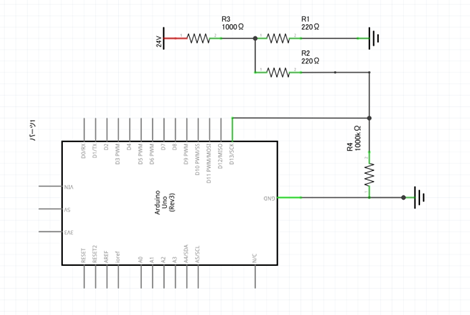
・Use resister to buckle down
}
・Use Pull-up
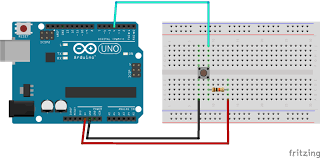
Normally, When you use switch, you have to connect resister.
But to use Pull-up fanction in Arduino, you can use switch without rester.
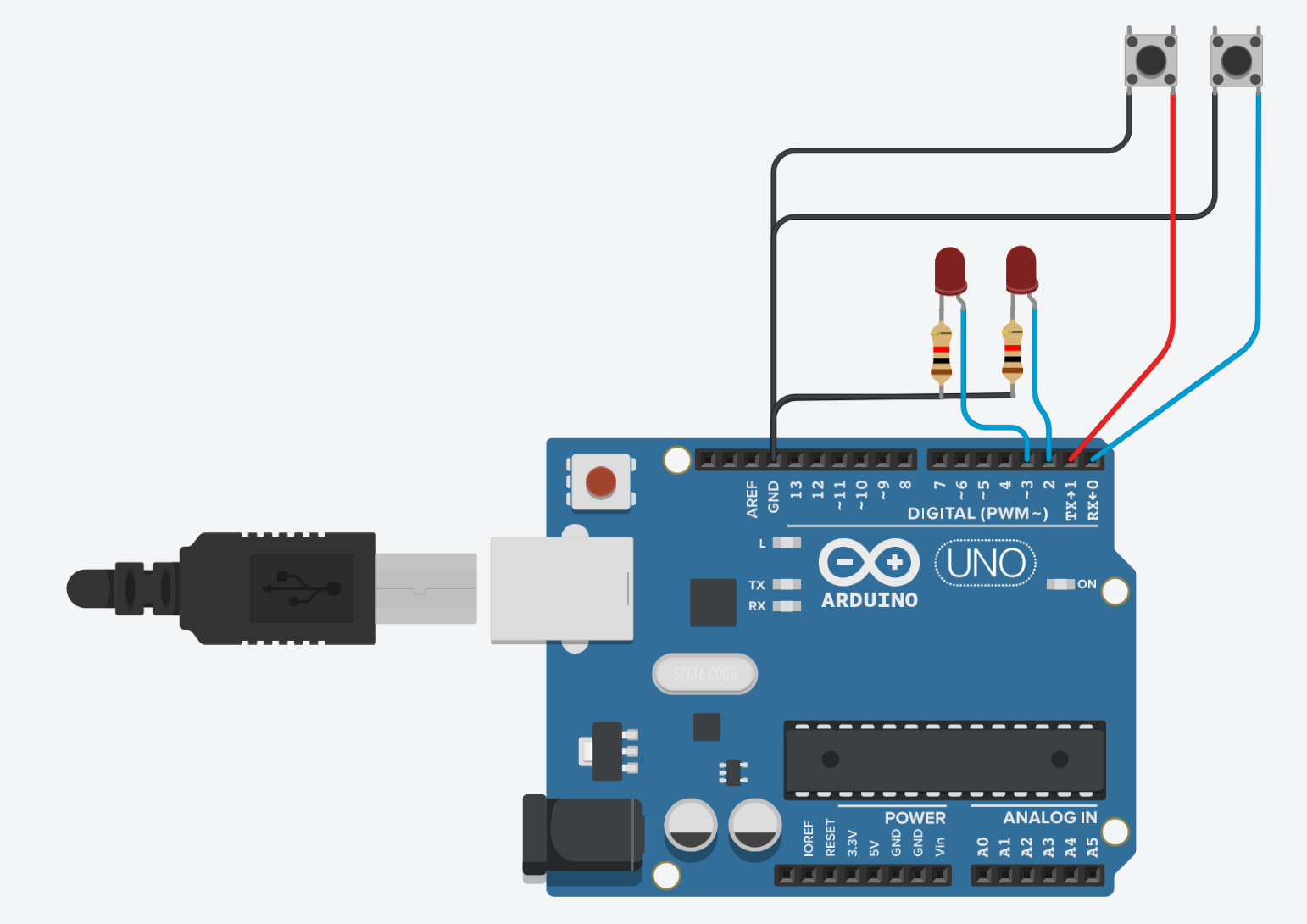
Conect Digital pin
#define SW1 0
#define SW2 1

#define LED1 2
#define LED2 3

void setup() {
  pinMode(SW1, INPUT_PULLUP);
  pinMode(SW2, INPUT_PULLUP);
  pinMode(LED1, OUTPUT);
  pinMode(LED2, OUTPUT);
}

void loop() {
  while(digitalRead(SW1) == LOW){
  	digitalWrite(LED1, HIGH);
    delay(500);
    digitalWrite(LED1, LOW);
  }

  while(digitalRead(SW2) == LOW){
    digitalWrite(LED2, HIGH);
    delay(500);
    digitalWrite(LED2, LOW);
  }
}elay(1000);

}
Servo motor 600¥ with Arduino
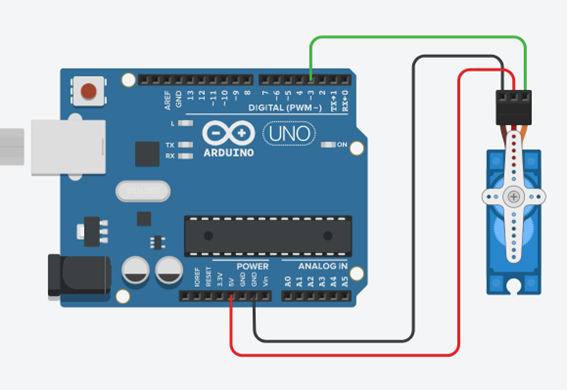
Conect 3 pins to
#include <Servo.h>
Servo myservo;
const int SV = 3;

void setup() {
  // put your setup code here, to run once:
  myservo.attach(SV, 500, 2400);

}

void loop() {
  myservo.write(0);  // move motor to 0°
  delay(1000);

  myservo.write(90);  // move motor to 90°
  delay(1000);

}