

AM02 Tips of Preset
Print parameter affects model accuracy and printing time.
Generally prioritizing speed sacrifices accuracy, prioritizing accuracy takes time.
If a model is difficult to print, it is less likely to fail if stable parameters are used.
I’ve gone on and on, but you don’t have to care about it.
Changed parameter for PLA
At beginning, I plot my opinion.
I usually print at thickness 0.24mm.
I don’t care about accuracy or cleanliness, I just want printing quickly.
Even at this thickness I think printed parts has decent accuracy.
Of course, If you need more better print quality, it’s better set more thin thickness.
My presset
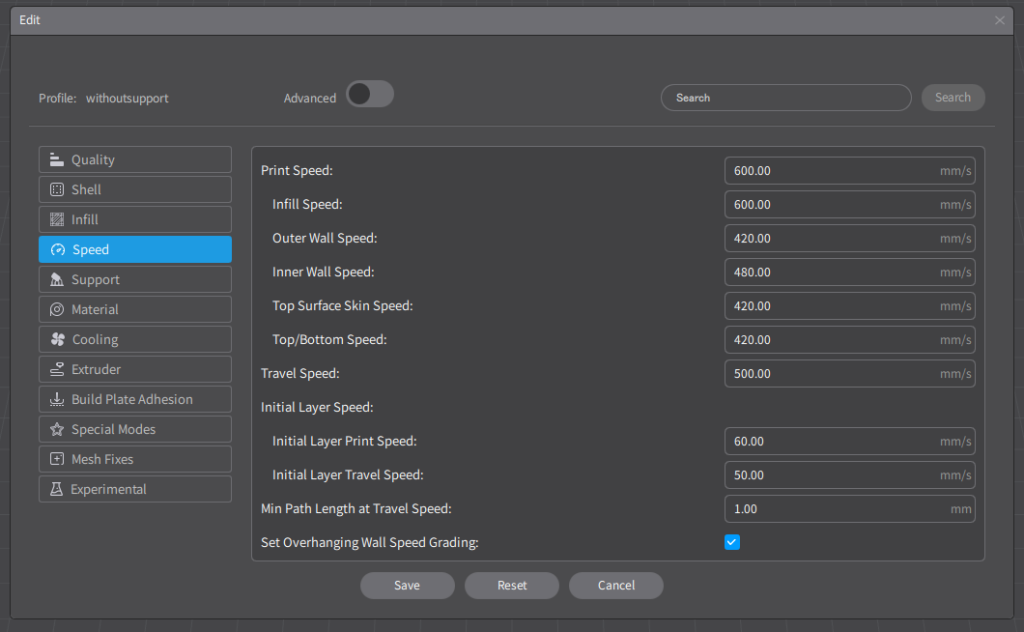
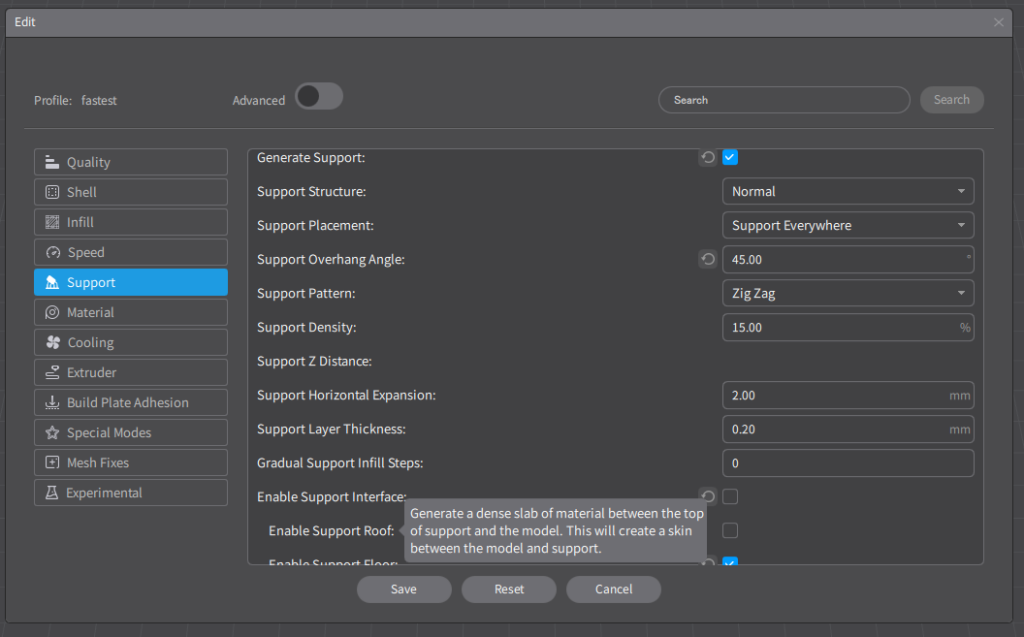
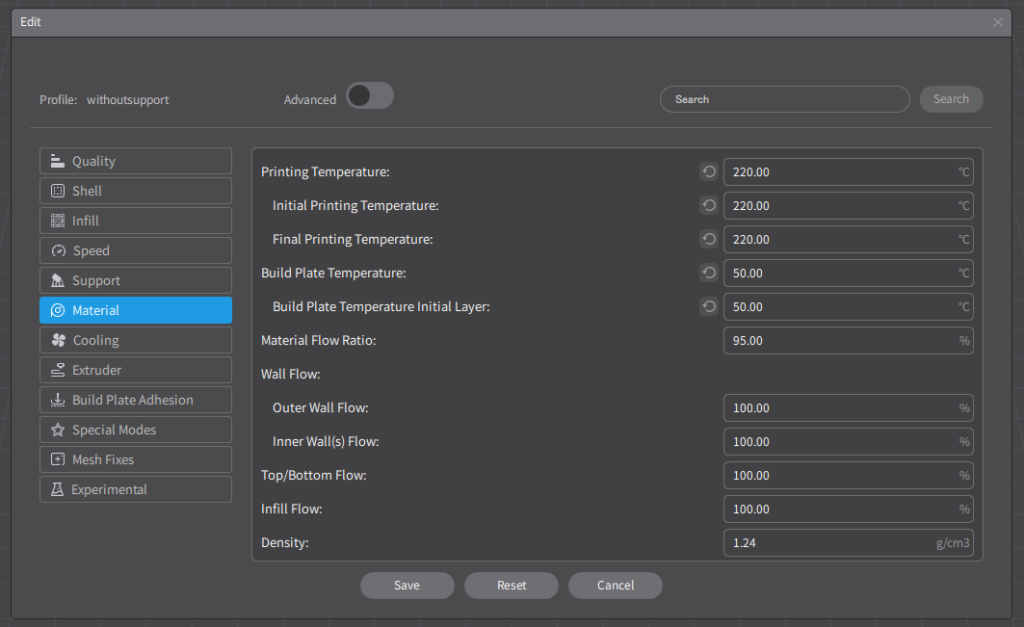
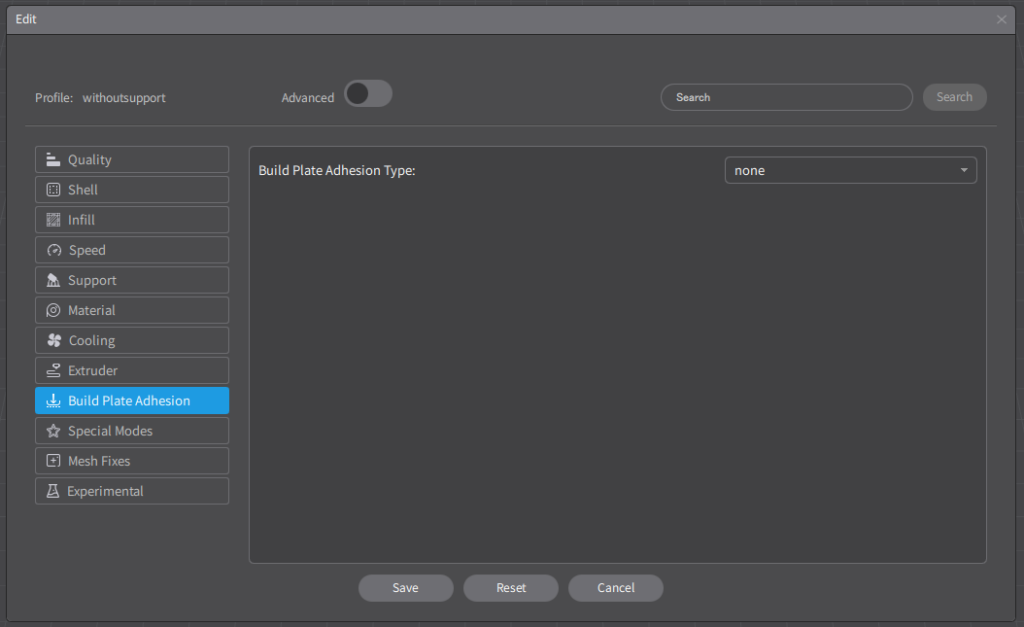
①Speed
・Print Speed →600mm/s
To less time for print.
②Material
・Printing Temperture →220℃
・Initial Printing Temperture →220℃
Some people say print at low temparature make Longer life of consumables.
And I didnt find any difference of Printed parts.
③Support
・Generate Support →☑
・Support overhang Angle →45°
・Enable Support Interface →□ off
If the model is difficult to print, It is better to use support.
But when use support, it takes more time and difficult to remove support and Areas that had support will be rougher.
It’s better to make shape that printable without support or separate two parts and use screw.
④Build Plate Adhesion
・Build Plate Adhesion Type →None
No need